
XLS to Image(JPG/TIFF/BMP/PNG/PCX/EPS/PS) Converter Getting started
XLS to Image Converter Main Interface Buttons
After you have install XLS to Image Converter successfully, you can see a toolbar in MS Excel 2000 or higher.
The XLS to Image Converter Main Interface look like below picture.
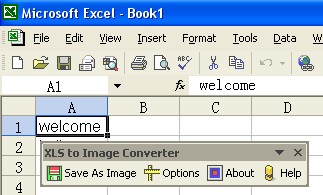
How to use XLS to Image Converter.
· Step 1: Open a Excel Document in the MS Excel 2000 or Higher.
· Step 2: Click "Options" button in the toolbar to open Setting dialog.
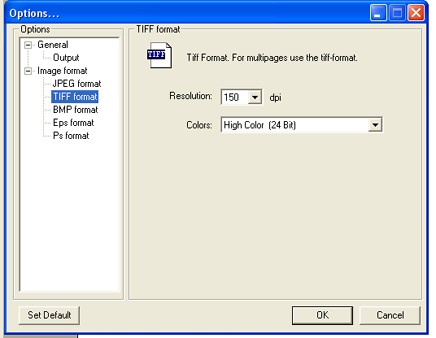
From here, you merely need to change the entries in the GUI to suit your needs, and the Image File will be produced according to your specifications.
Step 3: Click "Save as Image " button to convert current document to Image.
Specify the path and file name for the Image file.
