
To install PPT to PDF Converter from the download file
Double click the install file which you download from the web site. It is strongly recommended that you accept the installation default settings (just press OK, Yes, or Next, as appropriate).
Trouble-shoot installation problems in PPT to PDF Converter
1. Nothing happens after installation
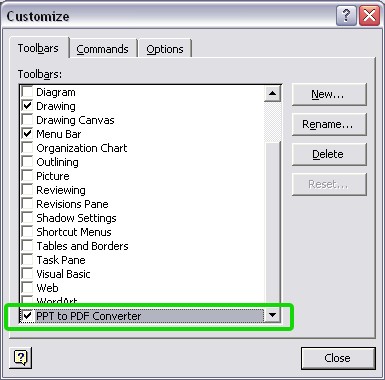
After installation successfully, you will view a toolbar called PPT to PDF Converter in PowerPoint.
To check if PPT to PDF Converter has been installed successfully, in PowerPoint, goto Tools->Cutomize and under Toolbars tab. An entry for our COM addin should have been added to the Toolbars Available list; the string is PPT to PDF Converter.
2. Upgrade failed. Cannot replace existing file.
This error is caused by you are installing PPT to PDF Converter while PowerPoint is still running. You need to Exit all running PowerPoint, then re-run the Setup.
