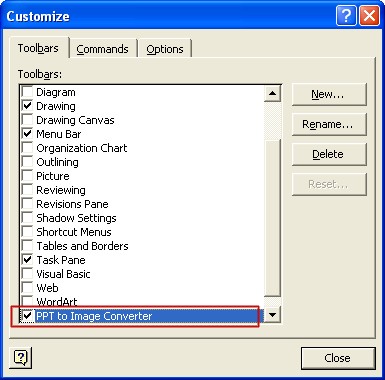
To TEMPORARILY uninstall PPT to Image Converter
1. Open Word and Goto Tools->Cutomize and under Toolbars tab and uncheck "PPT to Image Converter" in the list box.
To PERMANENTLY uninstall PPT to Image Converter
1. Activate the Control Panel, double click Add/Remove Programs.
2. Search for PPT to Image Converter listbox entry and Remove the program.
3. Goto Tools->Cutomize and under Toolbars tab, Select the item called "PPT to Image Converter", then click the "delete" Button in the right side of the dialog.