
PDF to Text Converter Getting started
PDF to Text Converter Main Interface Buttons
The PDF to Text Converter Main Interface look like below picture.
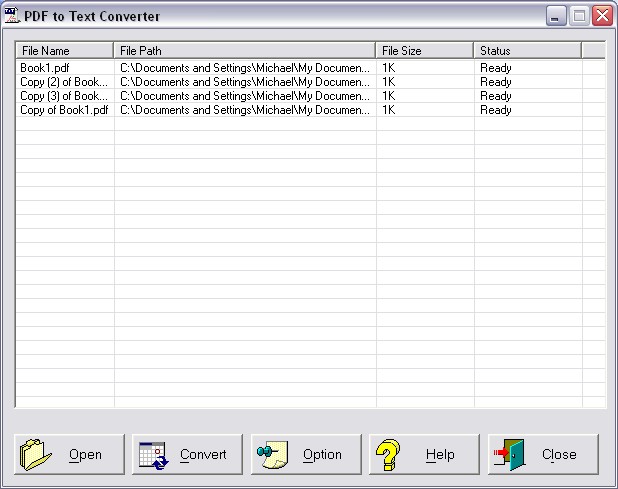
How to use PDF to Text Converter.
· Step 1: Add the Adobe PDF documents to the file list.
· Step 2: Click "Options" button in the toolbar to open Setting dialog.
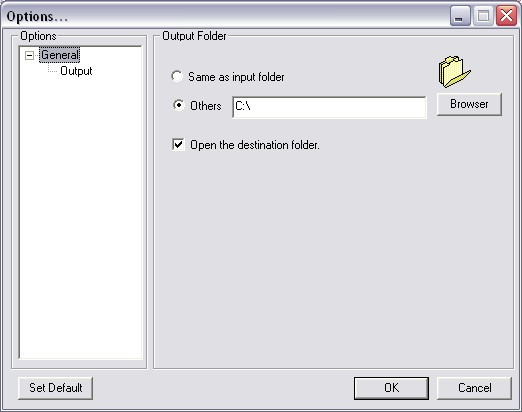
From here, you merely need to change the entries in the GUI to suit your needs, and the Image File will be produced according to your specifications.
Step 3: Click "Convert " button to convert the documents to Text.
